UDISE Plus SDMS Login State-Wise 2026-27 – All States & UTs Direct Links

📋 Table of Contents (click to collapse)
What is SDMS Login?
SDMS (Student Database Management System) is the student data portal of UDISE+. Schools login to SDMS to enter student enrollment data, generate APAAR IDs, and manage student records every year.
Each state in India has its own login link for SDMS. These links have a state-id number in the URL. Using your state's direct link is faster and avoids selecting the state from a dropdown every time.
How to Use State-Wise SDMS Links
- Find your state's SDMS link from the tables below
- Click on the link or type it in your browser
- The SDMS login page for your state will open
- Enter your school's 11-digit UDISE Code as username
- Enter your password
- Enter the captcha code and click Login
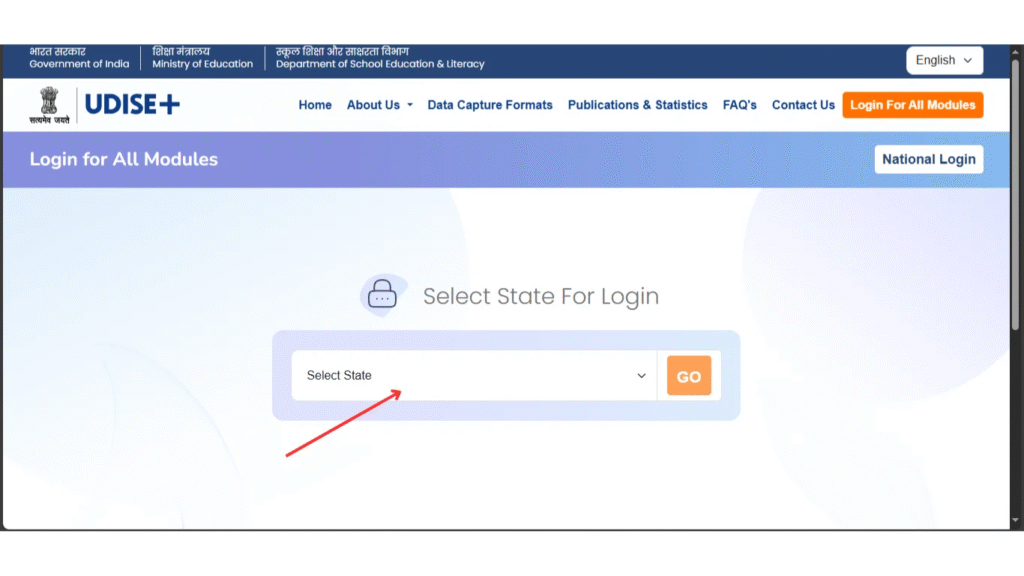
North India States – SDMS Login Links
| State | State ID | SDMS Login Link |
|---|---|---|
| Uttar Pradesh | 109 | Login Here |
| Rajasthan | 108 | Login Here |
| Haryana | 106 | Login Here |
| Punjab | 103 | Login Here |
| Himachal Pradesh | 102 | Login Here |
| Uttarakhand | 105 | Login Here |
| Delhi | 107 | Login Here |
| Jammu & Kashmir | 101 | Login Here |
South India States – SDMS Login Links
| State | State ID | SDMS Login Link |
|---|---|---|
| Andhra Pradesh | 128 | Login Here |
| Telangana | 136 | Login Here |
| Karnataka | 129 | Login Here |
| Tamil Nadu | 133 | Login Here |
| Kerala | 132 | Login Here |
East & West India – SDMS Login Links
| State | State ID | SDMS Login Link |
|---|---|---|
| Maharashtra | 127 | Login Here |
| Gujarat | 124 | Login Here |
| West Bengal | 119 | Login Here |
| Odisha | 121 | Login Here |
| Bihar | 110 | Login Here |
| Jharkhand | 120 | Login Here |
| Assam | 113 | Login Here |
Central India & Other States
| State | State ID | SDMS Login Link |
|---|---|---|
| Madhya Pradesh | 123 | Login Here |
| Chhattisgarh | 122 | Login Here |
| Goa | 125 | Login Here |
| Meghalaya | 117 | Login Here |
| Manipur | 116 | Login Here |
| Nagaland | 115 | Login Here |
| Tripura | 118 | Login Here |
| Mizoram | 114 | Login Here |
Union Territories – SDMS Login Links
| Union Territory | State ID | SDMS Login Link |
|---|---|---|
| Chandigarh | 304 | Login Here |
| Puducherry | 138 | Login Here |
| Lakshadweep | 137 | Login Here |
| Andaman & Nicobar | 135 | Login Here |
| Dadra & Nagar Haveli | 126 | Login Here |
What to Do After Login
Once you login to SDMS, here are the main tasks you need to do for 2026-27:
- Promote existing students: Move students from Class X to Class X+1 from previous year data
- Add new Class 1 students: Enter fresh admissions with Aadhaar and generate APAAR ID
- Update student details: Correct any wrong name, DOB, or Aadhaar data
- Fill Student Facilities (SF): Update mid-day meal, books, scholarship data
- Mark dropouts: Students who left school must be marked as "Dropout" with date
- Submit and certify: After all data is complete, submit for block-level verification
❓ Frequently Asked Questions (FAQs)
Here are the most common questions people ask about UDISE Plus SDMS Login State-Wise 2026-27 – All States & UTs Direct Links.
✅ Conclusion
Each state in India has its own SDMS login link with a unique state-id. Using the direct link for your state saves time and avoids confusion. Bookmark the correct link for your state. If your state link is not working, try the main SDMS portal at sdms.udiseplus.gov.in and select your state from the dropdown. For any login issues, always contact your Block MIS Coordinator.